Good document management is essential in a modern tax, trust, secretarial, FICA and compliance practice. Every firm needs to know where client documents are stored, how they are linked to the work being performed, and how quickly they can be found when required.
Sky’s document folder system gives firms a central, organised and paperless way to store, manage and retrieve documents directly from the client record, transaction or process where they belong.
Instead of saving documents in separate folders, emails, desktops or shared drives, Sky allows documents to be stored inside the system. This means that the document is linked to the relevant client, year, return, company, trust, FICA record or transaction.
The result is a better audit trail, improved workflow and far easier access to the documents needed for review, SARS verification, client queries, FICA compliance, trust administration and internal control.
Centralised document storage
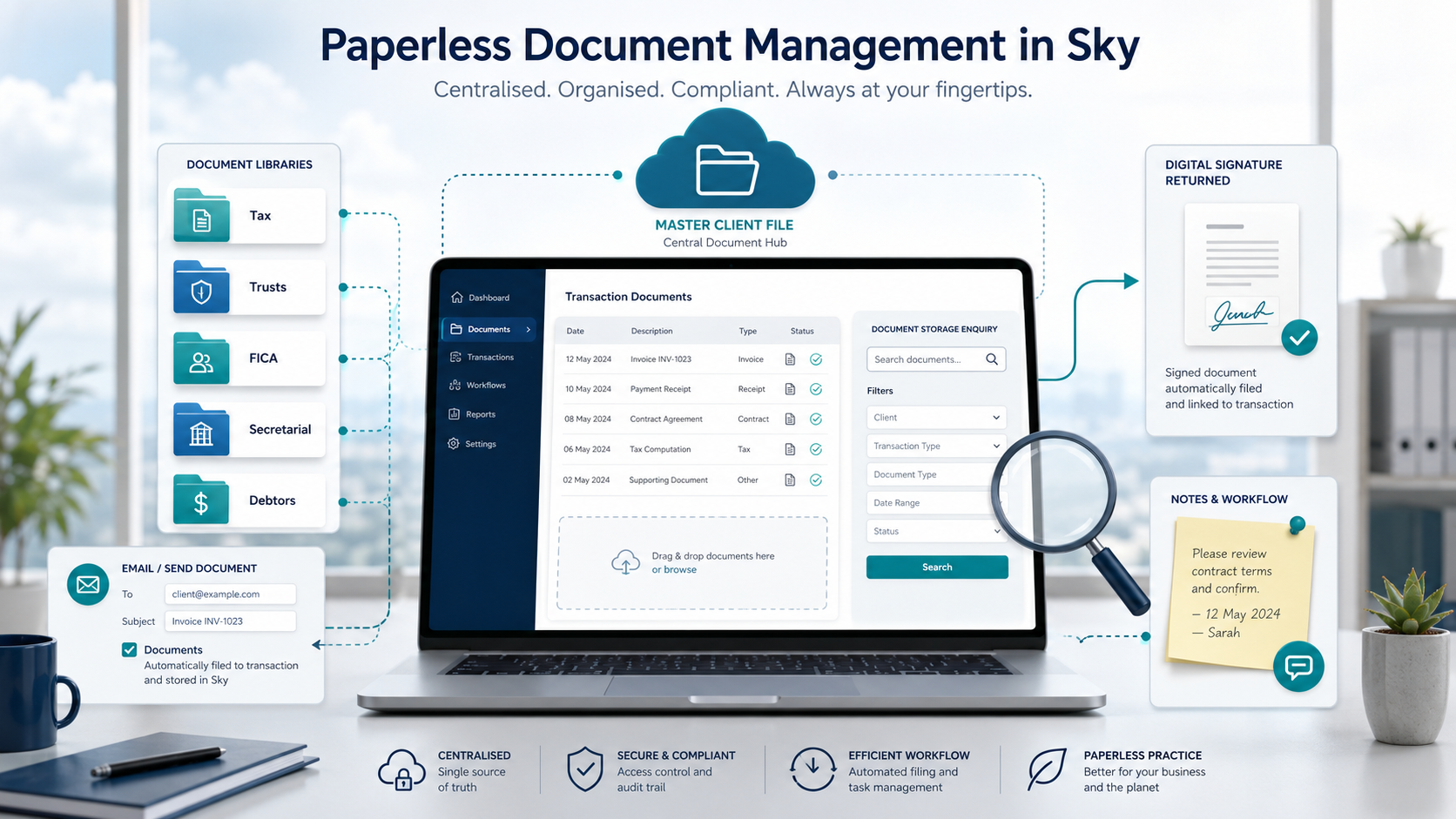
Sky allows documents to be stored against records in the system. Documents can be uploaded manually, saved from emails, attached to transactions, or filed directly into the relevant document folder.
Documents can be accessed centrally from the master client file or from within the specific module where the work is being performed. This gives the practice both a central view of all client documents and a detailed view of the documents linked to a specific transaction or process.
The system allows unlimited document storage, helping firms move away from paper files and scattered electronic folders towards a proper paperless practice environment.
Documents are stored where the work is done
One of the most important principles of document management in Sky is that documents should be stored where the work is being performed.
The main client or entity documents should be stored in the top or header Documents tab where applicable. These documents usually relate to the client or entity as a whole and are not limited to one transaction.
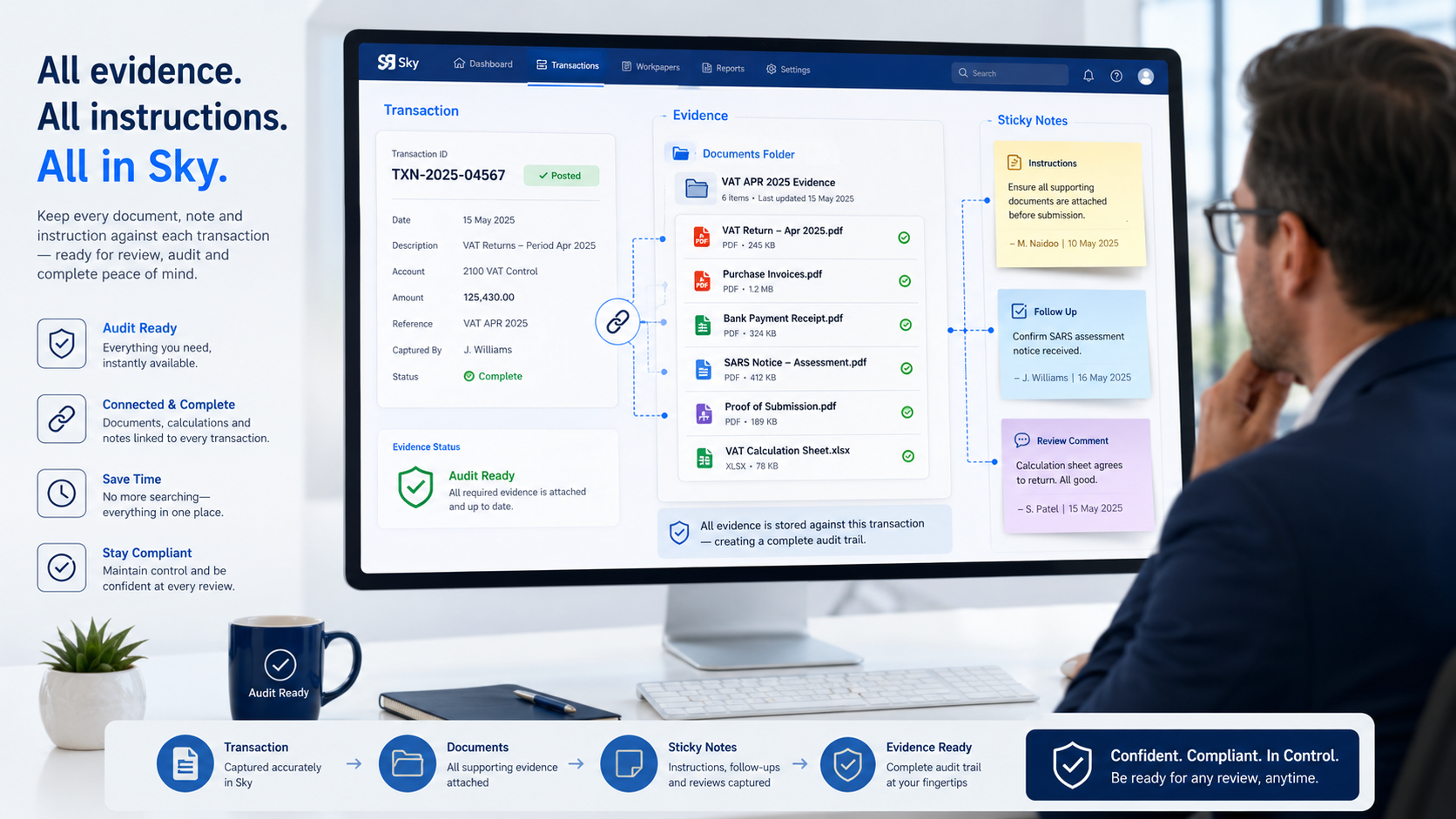
Transaction-specific documents should be stored in the transaction-level Documents tab. These are documents that relate to a specific tax return, assessment, verification, trust transaction, company secretarial action, FICA process or client instruction.
This makes the document much easier to find later because it is linked to the exact transaction or record to which it relates.
Filing documents when processing a transaction
When processing a transaction in Sky, any documents sent out as part of that transaction can be stored automatically in the document folder for that transaction.
When sending the documents, the user should tick the Documents checkbox. Once this is done, Sky saves the documents into the document folder against that specific transaction.
This is important because the document is not only sent to the client, SARS, a trustee, a company officer or another third party. It is also retained in Sky as part of the transaction record.
This creates a proper audit trail and makes it much easier to find the document later if it is needed for review, follow-up, SARS verification, FICA, trust administration, secretarial work or internal control.
The practice does not have to search through sent emails, desktop folders or shared drives. The document is stored where the work was done, against the exact transaction to which it relates.
Organised by groups and subgroups
Documents in Sky can be organised into groups and subgroups. These may include categories such as:
- Tax
- Secretarial
- Trusts
- Debtors
- FICA
- Supporting documents
- Signed documents
- Client correspondence
This structure helps staff file documents consistently and find the correct document quickly. It also reduces the risk of documents being stored in the wrong place or lost outside the system.
A proper document structure is especially important in a busy practice where different staff members may be working on the same client at different times.
Tax return supporting documents
For tax work, Sky allows supporting documents to be stored against the relevant client and tax year.
These documents may include IRP5 certificates, medical certificates, retirement fund certificates, travel schedules, donation certificates, investment certificates and other documents used to prepare the return.
This is particularly useful where SARS later requests supporting documents. The firm can quickly retrieve the documents that were used when preparing the return, instead of searching through emails, client folders or old correspondence.
It also assists with internal review because the supporting documents are kept together with the return or transaction to which they relate.
Trust documents
In Sky Trusts, the main trust documents should be stored in the header Documents tab. These would include documents such as the trust deed, letters of authority, ID documents of trustees and beneficiaries, trustee mandates and other permanent trust records.
Documents linked to specific trust transactions should be stored at transaction level.
This keeps permanent trust records separate from transaction-specific documents and makes trust administration easier to manage. It also assists the practice in showing what document supports a specific trust transaction or decision.
FICA documents
Sky FICA allows the firm to manage required FICA documents in a structured way. The system includes document lists based on the type of entity, and the required documents can be uploaded against the relevant client.
The FICA documents screen allows staff to view the necessary documents and add notes or comments where required.
This helps the firm maintain a proper FICA record and ensures that the supporting documents are stored together with the client’s FICA compliance process.
Email attachments and signed documents
When sending emails from Sky, documents can be attached to the email and filed into the relevant document folder.
Sky also allows additional documents to be attached to emails. PDFs can be merged into one file or left as separate documents, depending on how the firm wants to send and store them.
Where documents are sent for digital signature, the signed documents can be returned into Sky. This helps the practice maintain a complete electronic record of the signed document and the related transaction.
The key point is that documents sent from Sky should be saved back into Sky. By ticking the Documents checkbox when sending documents, the firm ensures that the outgoing document is stored against the relevant transaction and remains available for future reference.
Notes and sticky notes
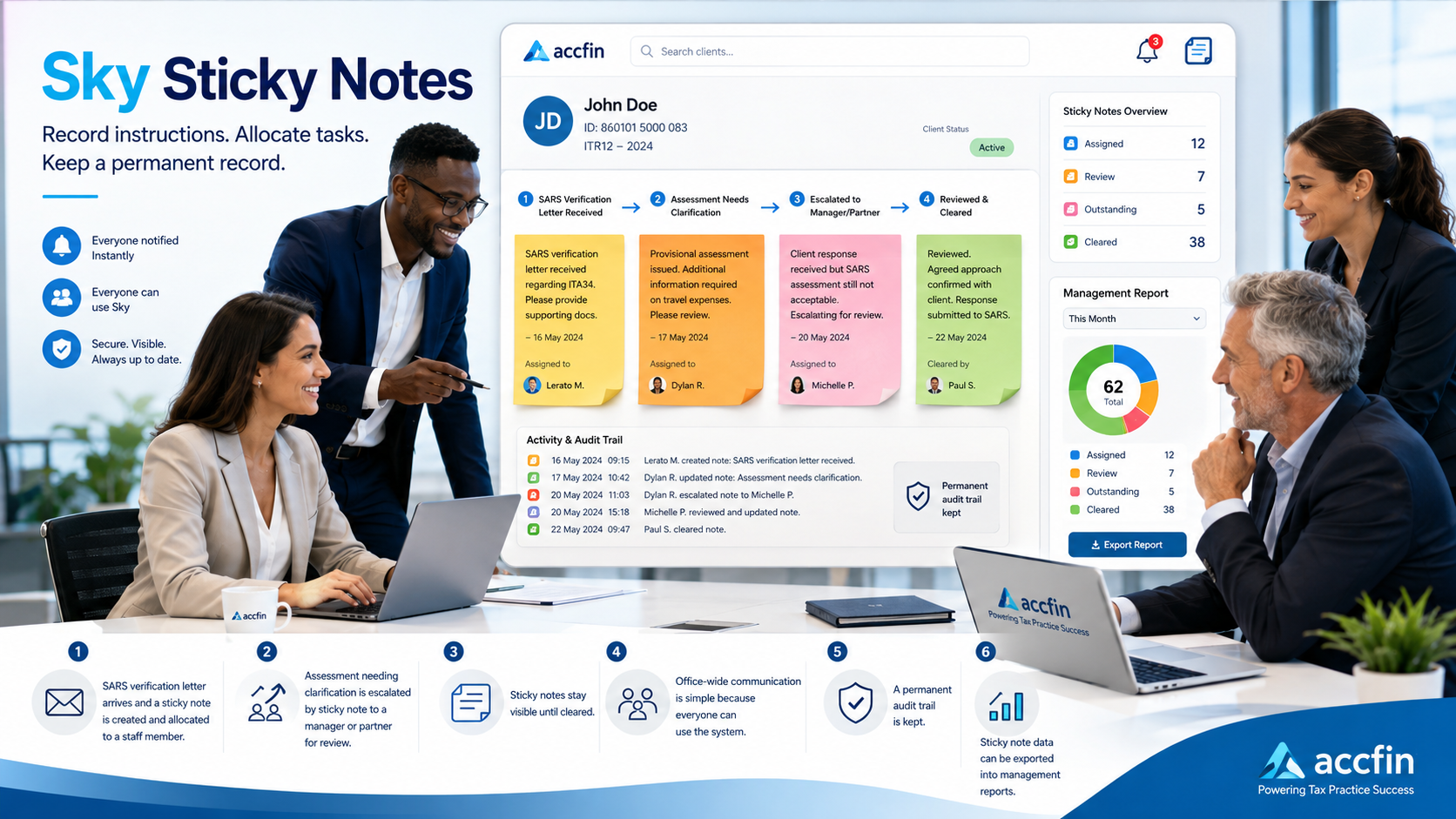
Documents in Sky can also be supported by notes or sticky notes. This allows staff to record comments, instructions or follow-up actions against a document.
For example, where a document needs to be reviewed by a partner, clarified by a client, allocated to another staff member, or used in response to a SARS query, a note can be added so that the instruction is clear and visible.
This turns the document folder into more than a storage area. It becomes part of the firm’s workflow, review process and audit trail.
Document Storage Enquiry
The Document Storage Enquiry screen gives the firm a central view of documents stored across the system.
It includes filtering tools that allow documents to be searched by client, document type, date and digital signature status. This is useful for tracking documents, checking whether documents have been filed correctly, and finding documents quickly when they are needed.
For a firm managing large numbers of clients and transactions, this central enquiry screen is an important control tool.
Why document folders matter
Sky’s document folders help firms move away from scattered document storage and towards a proper paperless practice.
Documents are stored where they belong, linked to the correct client, year, record or transaction. This improves workflow, reduces duplication, supports compliance and creates a better audit trail.
In a modern tax and compliance environment, the ability to find the right document quickly is critical. Sky’s document folder system gives firms the structure and control they need to manage client documents properly.
The practical rule is simple: when a document relates to a transaction, store it against that transaction. When a document is sent out from Sky, tick the Documents checkbox so that the document is automatically retained in the correct document folder.
That is how a firm builds a proper electronic record — one transaction, one document folder and one audit trail at a time.