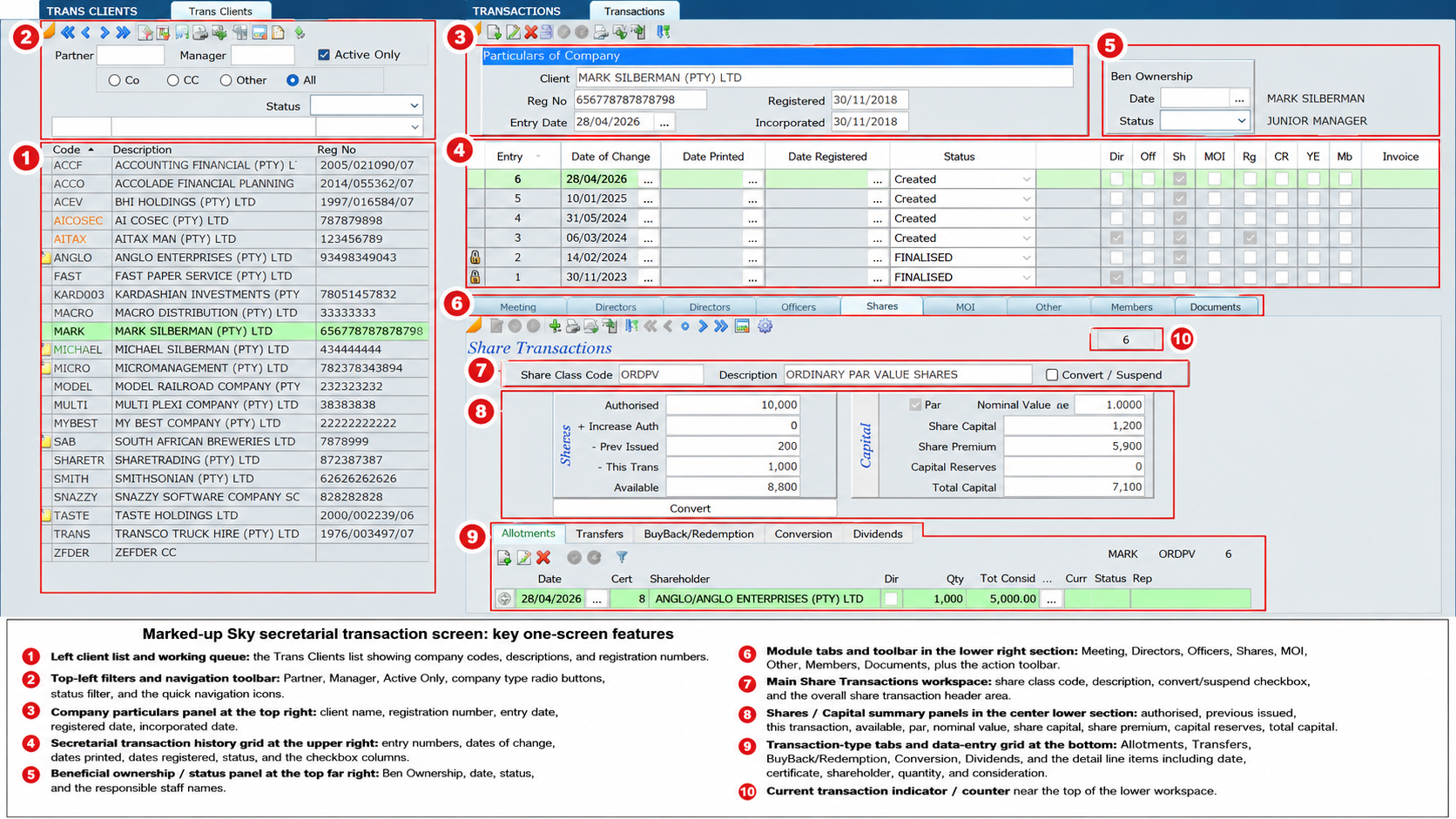
A modern company secretarial practice needs more than the ability to prepare forms and submit CIPC transactions. It also needs proper control over client instructions, staff responsibilities, follow-ups, review points, signed documents, and the permanent record of what was done.
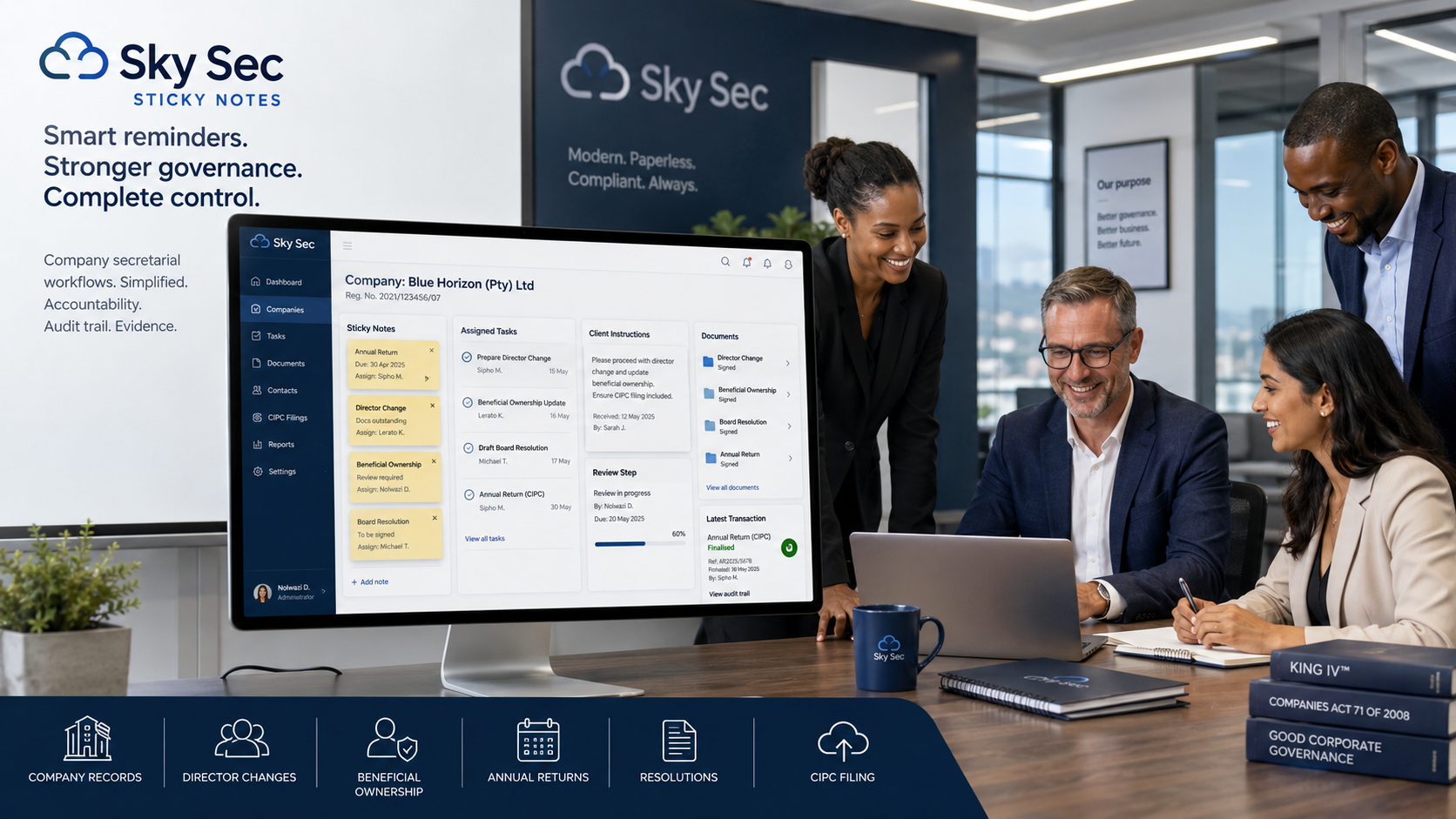
Sky Sec Sticky Notes provide this control inside Sky Sec. They operate as a paperless CRM-style reminder, instruction and communication system that can be attached to a company, close corporation, trust, client, transaction, annual return, beneficial ownership matter, director change, share transaction, or other item in Sky Sec.
This means that important information is recorded exactly where the secretarial work is being performed.
Office-Wide Communication Made Simple
One of the major advantages of Sky Sticky Notes is that they can be used by everyone in the office. Sky is licensed on an unlimited user basis, which means firms can roll the system out to all staff without incurring additional user licence fees.
This is important because company secretarial work is rarely handled by one person only. A staff member may receive client instructions, another person may prepare the documents, a manager may review the transaction, and a partner or senior person may approve the final submission or sign-off.
Sticky Notes allow all of these users to communicate inside the company or transaction record itself. Instead of relying on emails, WhatsApp messages, paper notes, or verbal instructions, the communication remains attached to the relevant company, client, or Sky Sec transaction.
Recording Client Instructions Properly
Sticky Notes are particularly important for recording client instructions. In a company secretarial practice, instructions are often given while staff are working with company records. These instructions may relate to director appointments or resignations, share transfers, allotments, beneficial ownership submissions, annual returns, company name changes, registered office changes, amendments to MOIs, resolutions, mandates, or other CIPC-related matters.
For example, if a client instructs the firm to appoint a director, a Sticky Note can be created immediately against the company or transaction. The note should record the client instruction, who gave the instruction, what must be done, and who is responsible for completing the transaction.
If the transaction requires signed documents, the Sticky Note should also remind the responsible staff member that the signed documents must be obtained and saved in the Documents Folder.
Similarly, if a beneficial ownership submission or annual return requires review, a Sticky Note can be attached to the company record. The note can explain the issue, allocate the matter to the correct person, and record whether the transaction must proceed, be queried, be corrected, or be escalated for review.
By recording the instruction as a Sticky Note, the instruction is kept with the company record. This reduces the risk of misunderstandings and lost instructions, and creates a permanent record of the instruction, the person responsible, and the outcome once the note is cleared.
Documents Folder as the Evidence Record
The Documents Folder plays a critical role in Sky Sec. It should be used as the record of the transaction. All signed client instructions, resolutions, mandates, forms, supporting documents, approvals, confirmations, and completed documents should be saved in the Documents Folder against the relevant company or transaction.
Anyone looking at the company or transaction record should be able to see the evidence of the transaction that was performed. The Sticky Note records what had to be done. The Documents Folder records the signed and completed evidence of what was actually done. Together, they create a proper paperless control system.
Clearing Notes and Finalising Transactions
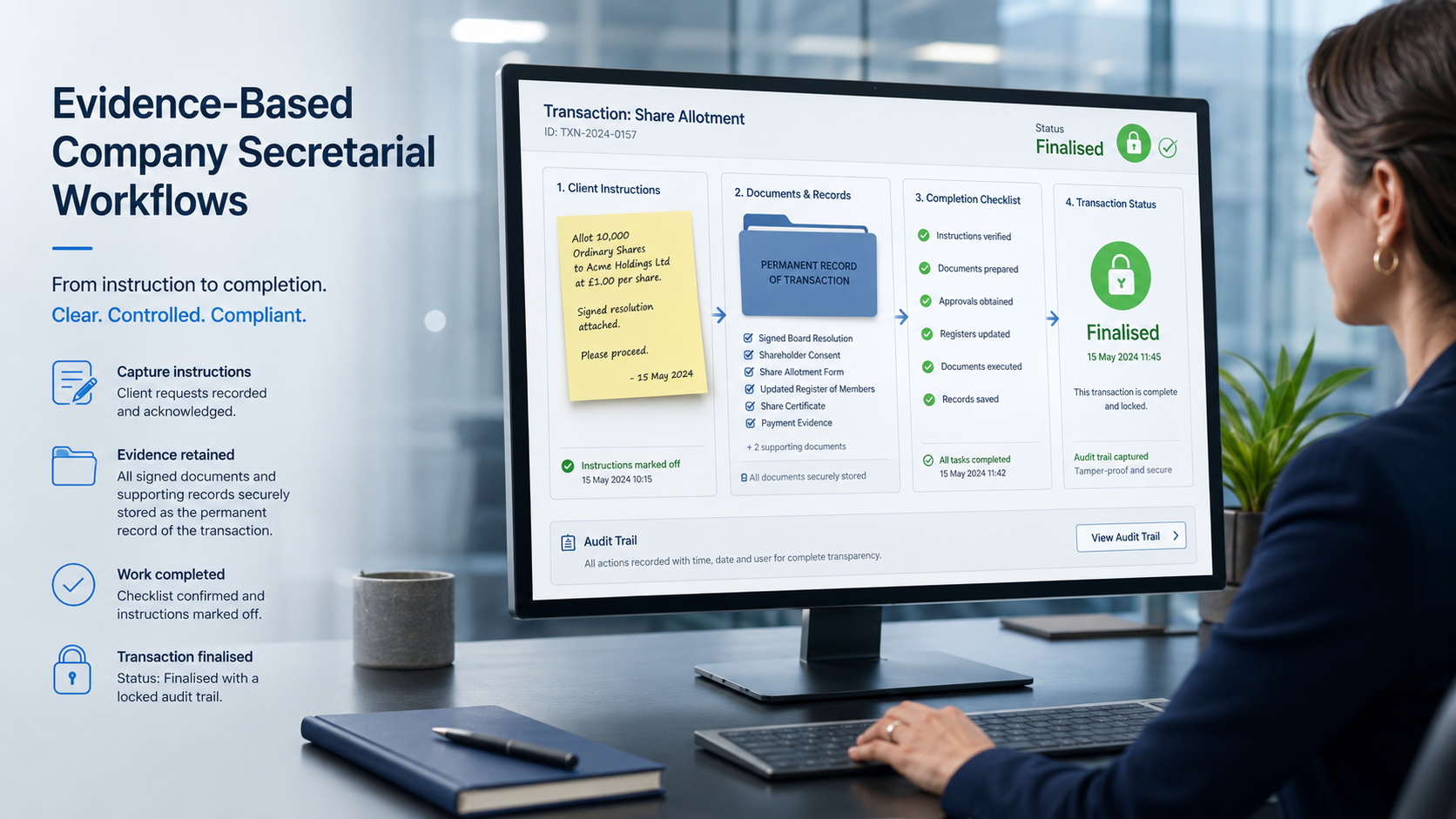
When the client instruction has been completed, the Sticky Note must be marked off or cleared. However, the note should only be cleared once the required action has actually been completed and the necessary signed documents have been saved in the Documents Folder.
Once everything has been signed, filed, completed and recorded, the transaction should be marked as finalised. This is an important internal control. A finalised transaction tells the practice that the work has been completed, the evidence has been saved, and the company record is up to date.
It also assists anyone reviewing the company record in future. They can see that the transaction was performed, that the instruction was recorded, that the documents were saved, and that the matter was properly finalised.
Better Follow-Up Control
A Sticky Note remains visible until it is cleared. This makes it an effective tool for controlling outstanding company secretarial work. A note can be used to remind a user to contact a client, obtain signed documents, follow up on outstanding resolutions, complete a beneficial ownership submission, review an annual return, check a director change, confirm shareholding information, or deal with any other matter requiring attention.
When users log into Sky, or click the red bell notification feature, they can immediately see outstanding Sticky Notes. This helps ensure that important company secretarial follow-ups are not forgotten.
Clear Task Ownership
Sticky Notes can be allocated to another user. This creates clear task ownership and makes handovers between staff much easier. A senior staff member can allocate a note to a junior to obtain signed documents from a client. A manager can assign a beneficial ownership matter to a specific person. A partner can leave a review instruction for the person responsible for finalising a company transaction.
This is particularly useful where a transaction needs supporting documents before it can be completed. The Sticky Note can record the instruction, allocate responsibility, and remain visible until the signed documents have been obtained and saved. This turns Sticky Notes into a simple workflow system built directly into Sky Sec.
A Permanent Audit Trail
A major benefit of Sticky Notes is that they create a permanent record. The original instruction, the action required, the person responsible, the action taken, and the manner in which the note was cleared remain on the system.
This is extremely useful in a company secretarial practice, where it is often necessary to know what was done, when it was done, who dealt with it, what documents were signed, and what the final outcome was. Sticky Notes help improve internal control, staff accountability, review procedures, and practice risk management.
When used together with the Documents Folder, Sky Sec provides a practical audit trail for the transaction. The Sticky Note explains the instruction and workflow. The Documents Folder provides the signed evidence and completed record.
Stronger Control Over CIPC and Secretarial Transactions
Sticky Notes are especially useful in controlling CIPC and secretarial transactions. Where a director change, share transaction, annual return, beneficial ownership submission, or other company matter requires attention, a Sticky Note can be added to record the reason, instruction, supporting information, or required follow-up.
These notes can record missing information, client instructions, review points, outstanding signatures, CIPC requirements, or matters that must be resolved before the transaction is finalised. Because uncleared Sticky Notes can be filtered and reviewed, management can easily identify outstanding matters before deadlines are missed or transactions are left incomplete.
Management Reporting
Sticky Note files can be exported from Sky and used to produce excellent management reports. These reports can show outstanding notes, cleared notes, responsible users, follow-up items, unresolved matters, and workflow bottlenecks.
For secretarial managers and practice owners, this gives a practical overview of what is happening across the company secretarial department. It becomes easier to monitor work, identify delays, follow up on unresolved matters, and ensure that client work is properly controlled.
Why Sticky Notes Matter in Sky Sec
Sky Sec Sticky Notes are more than reminders. They are a practical CRM, instruction, evidence and workflow tool built into Sky Sec. They help firms:
- Record client instructions clearly
- Keep company secretarial communication in one place
- Allocate tasks to the correct staff member
- Record who is responsible for each transaction
- Track outstanding documents and signatures
- Control CIPC and company secretarial follow-ups
- Ensure signed documents are saved in the Documents Folder
- Use the Documents Folder as the evidence record of the transaction
- Maintain a permanent audit trail
- Improve review and sign-off procedures
- Strengthen beneficial ownership and annual return control
- Produce management reports
- Reduce reliance on scattered emails, paper notes, WhatsApp messages, and informal instructions
- Ensure transactions are properly marked as finalised once completed
Because Sky has an unlimited user licence model, every person in the office can participate in the same workflow process. This makes Sticky Notes an important part of running a modern, paperless, well-controlled company secretarial practice.
For firms using Sky Sec, Sticky Notes and the Documents Folder provide a simple but powerful way to improve communication, accountability, follow-up control, evidence retention, and management visibility across the entire secretarial practice.
For a further explanation of how Sticky Notes work — including how they can be created manually or automatically and used as reminders or CRM notes — see Sticky Notes – how it works.